Running the mall
Reports
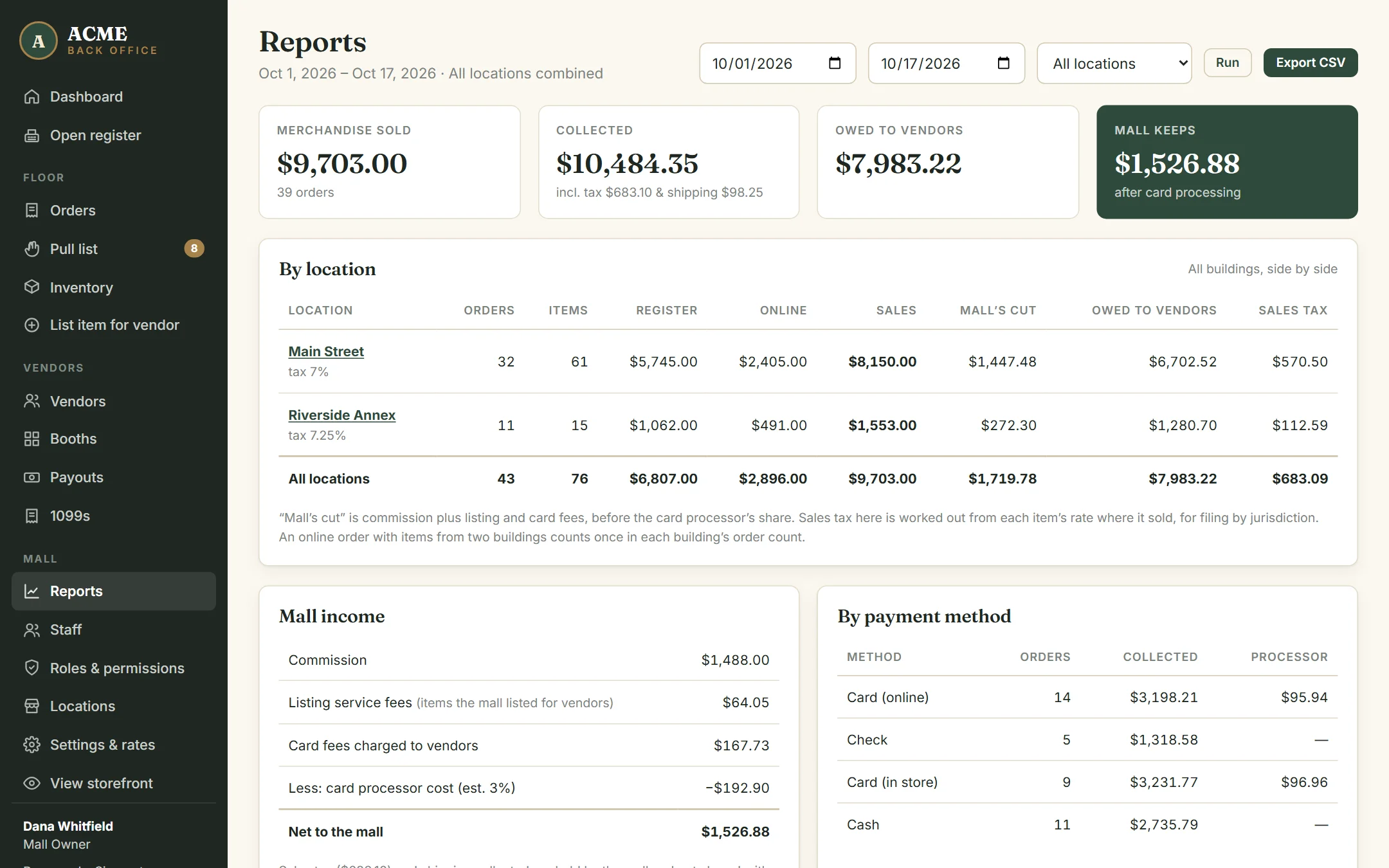
Back office → Reports. Pick a date range and click Run. Everything is calculated from the split frozen onto each sale, so reports always agree with dealer statements.
What’s on it
- Merchandise sold, collected, owed to vendors, and what the mall keeps after card processing.
- Mall income — commission, listing-service fees, card fees charged to dealers, any card surcharges, less the estimated cost of card processing.
- By payment method — cash, in-store card, check, gift certificate and online card.
- By channel — register versus online.
- By vendor — each dealer’s sales and the mall’s total cut from them.
- By category — what kinds of things are selling.
- By location — if you run more than one building: each one side by side, including sales tax by building. Use the location menu to see the whole page for one building. See Multiple locations.
Sales tax and shipping collected are shown separately. They belong to the mall and are never part of a dealer’s share.
Export for your accountant
Click Export CSV for every sold line in the range: date, order, channel, payment method, dealer, booth, SKU, item, price, each fee and rate, dealer net, whether it was refunded, and which payout it went into. It opens in Excel or Google Sheets.
The dashboard shows this month’s headline numbers too. Only roles with See reports & mall revenue see money figures anywhere in the back office.