Running the mall
Year-end 1099s
AllAisles collects your dealers’ W-9 details, adds up the year for each dealer, and produces the file a 1099 filing service needs. Your accountant decides what to file; AllAisles does the arithmetic and the paperwork.
1. Collect W-9 details
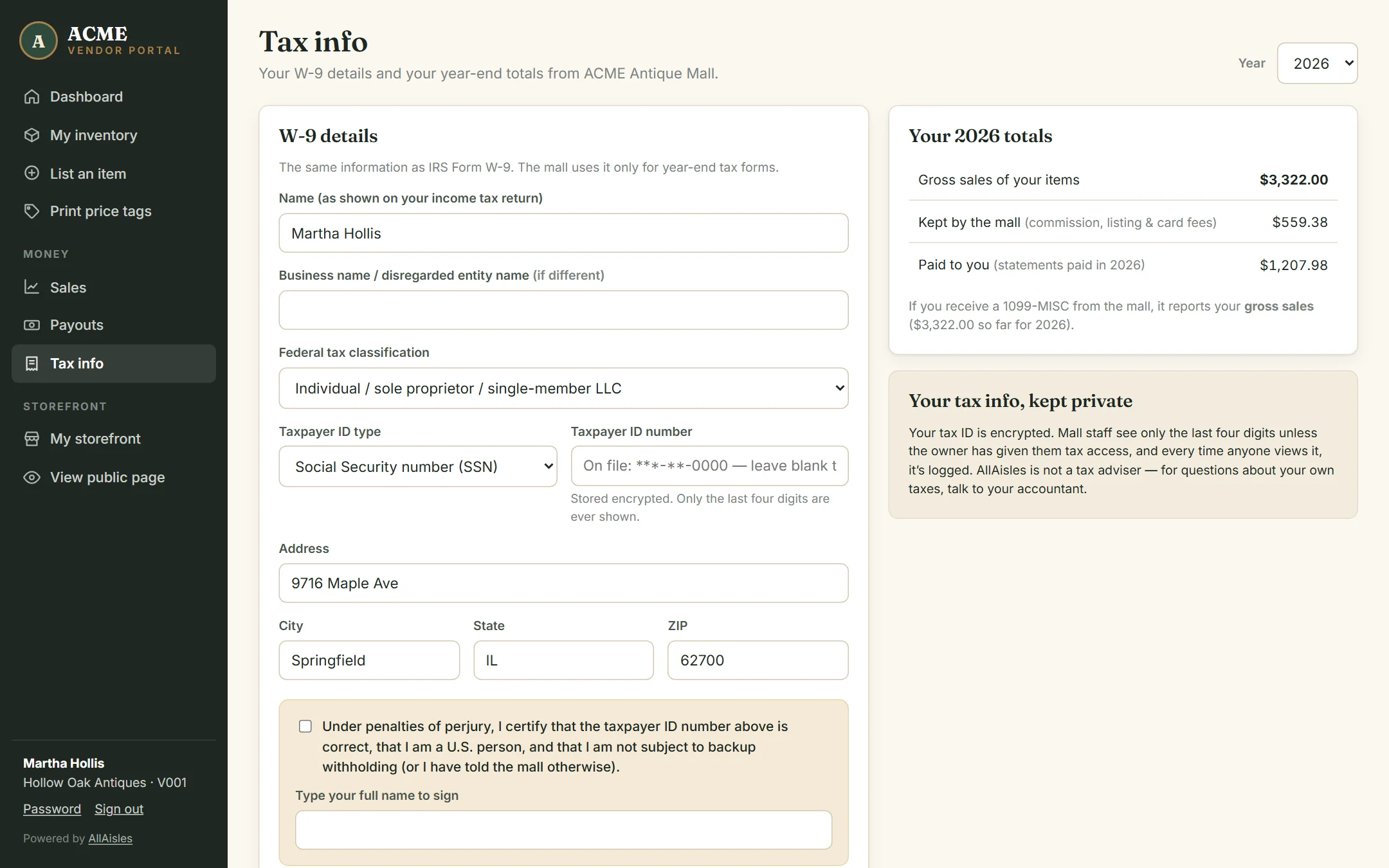
The easy way: dealers do it themselves. In their portal, Tax info asks for the same details as IRS Form W-9 — legal name, business name, tax classification, SSN or EIN, and address — and they sign the certification by typing their name. Dealers who haven’t done it yet see a reminder in their menu.
If a dealer hands you a paper W-9, open 1099s, find the dealer and click Enter W-9 (or use the Tax info card on their dealer page). Tick I have this dealer’s signed W-9 before saving.
2. Choose what to report
On the 1099s page, under 1099 options:
| Amount to report | What it adds up |
|---|---|
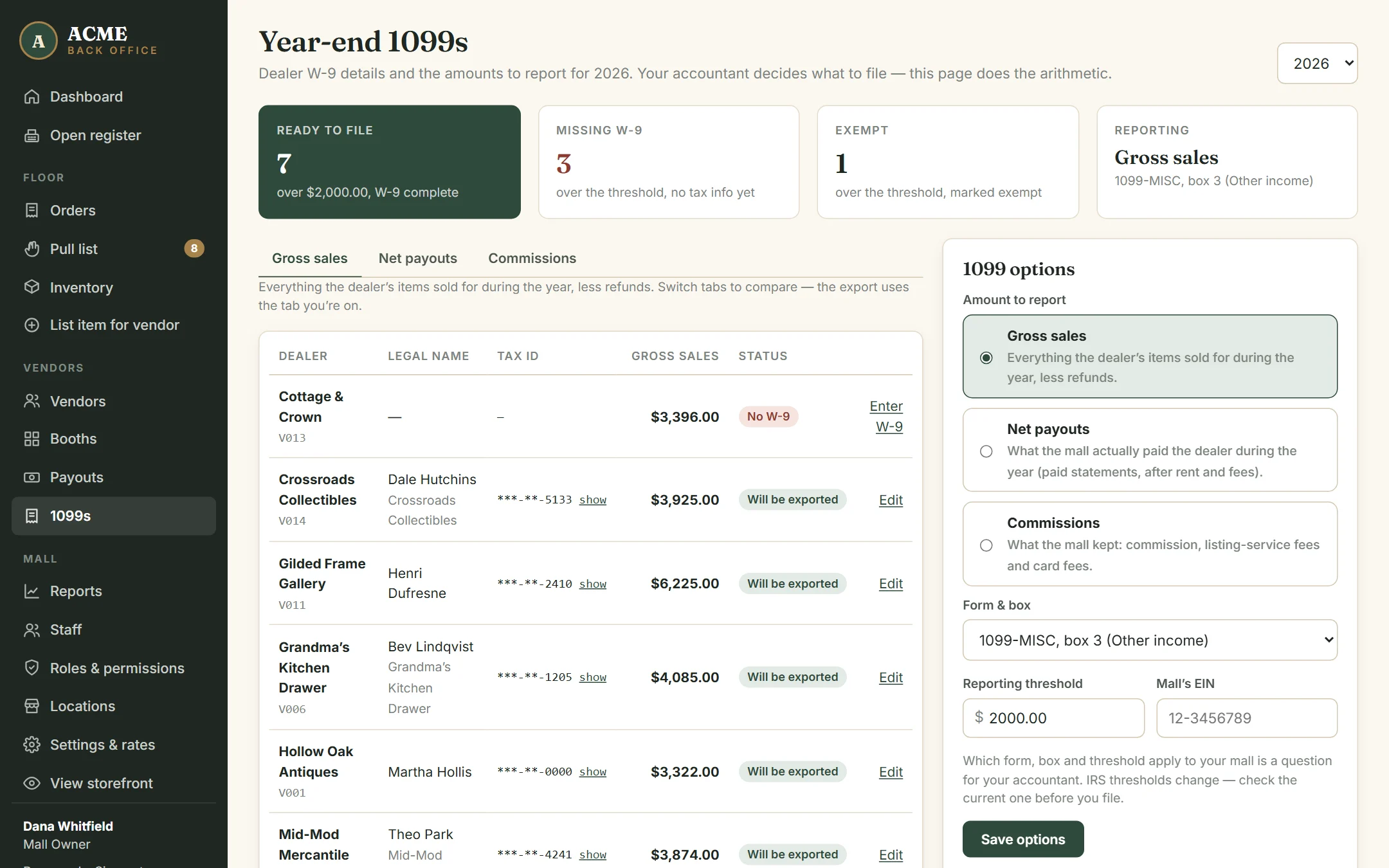
| Gross sales | Everything the dealer’s items sold for during the year, less refunds. |
| Net payouts | What the mall actually paid the dealer during the year — statements marked paid, after rent and fees. |
| Commissions | What the mall kept: commission, listing-service fees and card fees. |
Also set the form and box (1099-MISC box 3, 1099-NEC box 1, or 1099-K box 1a), the reporting threshold, and the mall’s EIN, then click Save options. The tabs above the table let you compare all three amounts before you decide.
3. Check the list
Pick the year at the top right. Each dealer shows their total for the year and a status:
- Will be exported — over the threshold, W-9 complete.
- No W-9 — chase these before you file. The count is at the top of the page.
- Exempt — usually corporations. Ticked automatically when a dealer chooses a corporation; you can change it.
Tax IDs are masked. Click show to see a full one; it hides itself again after 20 seconds.
4. Export and file
Click Export 1099-MISC file (the name follows the form you chose) to download a CSV of every dealer who is over the threshold, has a complete W-9 and isn’t exempt. Upload it to a 1099 filing service — such as Track1099, Tax1099 or the IRS’s free IRIS portal — which files with the IRS and sends each dealer their copy. Export every dealer with a W-9 includes everyone, for your accountant to review.
Keeping tax IDs safe
- Tax IDs are encrypted. Only the last four digits are ever displayed unless someone clicks show.
- Only the owner can see this page, unless the owner gives a role the Manage tax info & 1099s permission — for example a Bookkeeper. See Staff, roles & permissions.
- The Access log on the page records every W-9 change, every tax ID shown, and every export: who, when, and for which dealer.
What dealers see
A dealer’s Tax info page shows their totals for any year — gross sales, what the mall kept, and what they were paid — and which amount the mall reports on their form.